


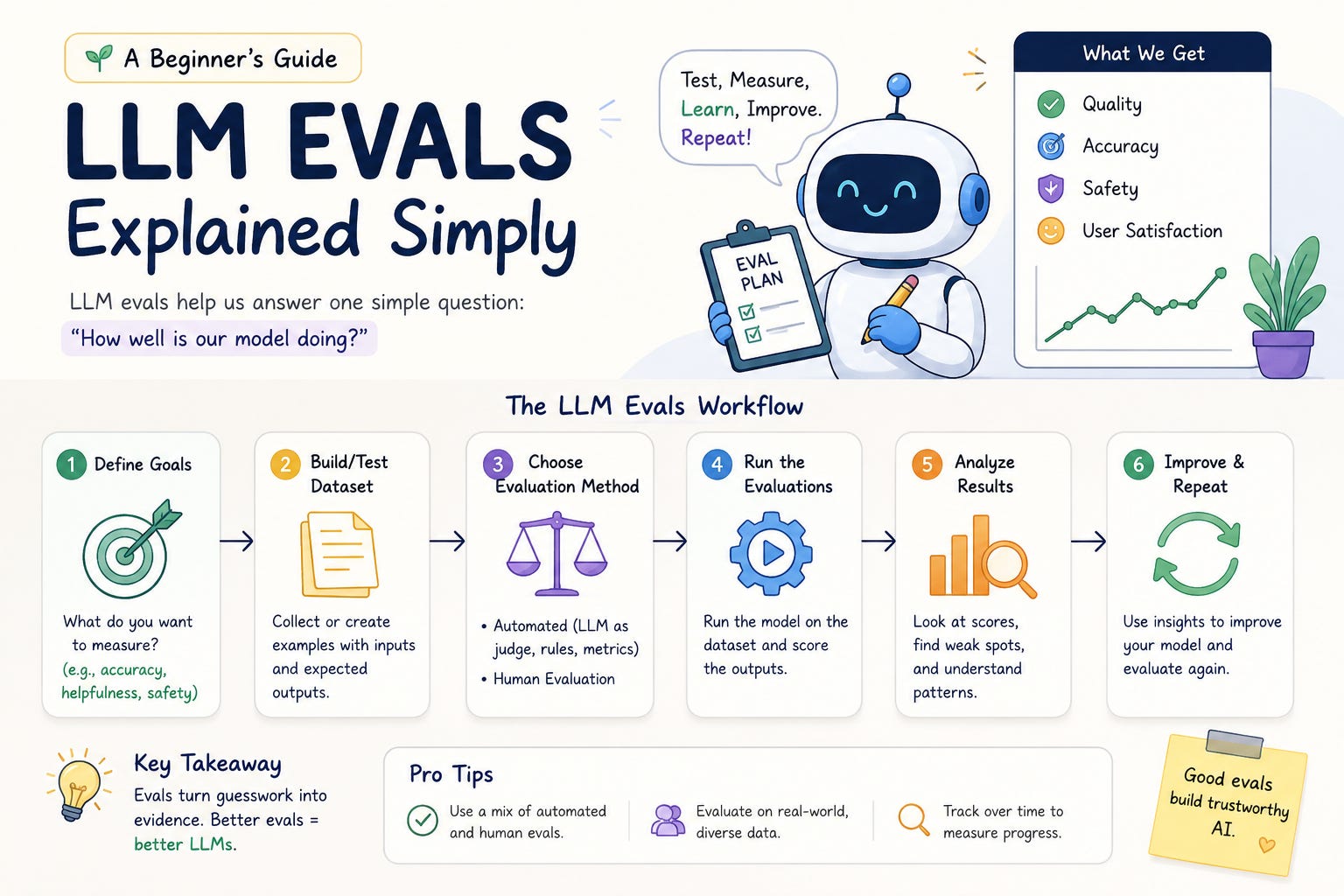
When you build a feature that relies on an LLM, you have a problem that doesn’t exist with regular code: you can’t just read the output and know if it’s right. The model might change. Your prompt might drift. A document that worked last week might fail today. And when you’re processing hundreds of PDFs, you can’t eyeball every result.
This is what evals are for — systematic ways to measure whether your AI feature is doing what you think it’s doing.
I built Sentinel, a REST API that validates PDFs against configurable criteria: is it in English? Does it have enough pages? The core intelligence is a single LLM call that detects language. Simple enough — but simple doesn’t mean you get to skip testing.
Here’s how I approached evals in three stages, from the most basic to the most rigorous.
What Sentinel actually does
Before we get into evals, a quick picture of the system we’re testing.
A PDF comes in. Sentinel runs it through a sequence of checks:
Is the file readable (not password-protected, not a scanned image with no text)?
Does it have enough pages?
Is it in English?
The language check is the only one that involves an LLM — specifically Claude Haiku, which is fast and cheap for a yes/no classification. Everything else is deterministic: count pages, count images, done.
Valid files go to uploads/. Rejected files go to rejects/ with a plain-English reason.
The whole thing is configurable via environment variables:
CHECKER_MODEL=claude-haiku-4-5
MIN_PAGES=2
MIN_IMAGES=0
CHECK_LANGUAGE=true
Now, how do you know it’s working?
Stage 1: The Golden Dataset — “I know the right answer”
The simplest eval is also the most powerful one to have in place. You take a small enough set of inputs where you as a human already know the correct answer, run your system against them, and check if the results match. This set needs to be diverse enough so it covers your test criteria.
This is called a golden dataset — a fixed, labelled benchmark that doesn’t change. Every time you update the model, change a prompt, or tweak a threshold, you run the golden dataset and see if anything broke. Consider it like your unit test cases for the LLM flow.
In Sentinel, the golden dataset lives in evals/golden_dataset.json:
[
  {
    "file": "pdfs/pdfpass.pdf",
    "expected_valid": true,
    "expected_reason_contains": "passed all checks",
    "notes": "Valid PDF with information on an NGO"
  },
  {
    "file": "pdfs/pdffailnoeng.pdf",
    "expected_valid": false,
    "expected_reason_contains": "not in English",
    "notes": "Mixed English/Kannada document — mostly Kannada, should be rejected"
  }
]
Each entry has:
file— the PDF to test (stored inevals/pdfs/)expected_valid— should this pass or fail?expected_reason_contains— a substring that must appear in the API’s reason fieldnotes— a human-readable description of what this case is testing
The runner in evals/run_evals.py starts a temporary server, sends each PDF to the live /validate endpoint, and compares what comes back to what you labelled. It’s testing the real API — not a mock, not a unit test. If the check fails in production, it will fail here too.
python evals/run_evals.pyPDF Checker — Eval Report
Run started : 2026-06-27 15:32:30
Model : claude-haiku-4-5
Cases : 3
Score : 3/3 (100.0%)
[1] PASS ✓ pdfpass.pdf (931 ms)
Expected : VALID
Got : VALID
API reason : PDF passed all checks
[2] PASS ✓ pdffailnoeng.pdf (829 ms)
Expected : INVALID
Got : INVALID
API reason : Document is not in English
The exit code is 0 if everything passes, 1 if anything fails — so you can easily drop this into a CI pipeline and it’ll gate your deploys.
When to use it: Every time you change something. Changing the model? Run evals. Changing the prompt? Run evals. The golden dataset is your safety net.
The limitation: It only tests cases you’ve already labelled. If a new failure mode appears that you’ve never seen before, the golden dataset won’t catch it. That’s where the next stage comes in.
Stage 2: The LLM Judge — “I have more PDFs than I can label manually”
Before launching Sentinel, I wanted to test it against a large batch of real-world PDFs — resumes, grant proposals, training documents, data exports. 50+ files. Manually labelling each one would take hours and defeat the purpose of building automation in the first place.
The solution: use a second, stronger LLM as the judge.
The idea is simple. For each PDF:
Run it through the Sentinel checker (Claude Haiku) and record the verdict.
Separately, have a judge model (Claude Sonnet) read the same PDF independently and form its own verdict.
Compare the two. Agreements are likely correct. Disagreements need human review.
The key design principle is blind judging. The judge never sees what the checker decided before forming its own opinion. If the judge knew the checker said VALID, it might anchor to that and tend to agree — even if it would have independently said INVALID. By keeping both verdicts fully independent and comparing afterward, disagreements represent genuine uncertainty or mistakes rather than noise.
This is the same principle used in double-blind trials, peer review, and code review: independent assessment before comparison.
python evals/run_llm_judge.py [1/25] annual_report.pdf... AGREE (934 ms)
[2/25] kannada_doc.pdf... AGREE (1241 ms)
...
SUMMARY
Agreed on VALID : 15
Agreed on INVALID : 8
Disagreements : 2
Checker VALID / Judge INVALID : 2 ← checker may be too lenientThat directional signal at the bottom is genuinely useful. If you see the checker saying VALID while the judge says INVALID, your system is probably being too permissive — accepting documents it shouldn’t. The opposite pattern means you’re being too strict and rejecting legitimate files.
When to use it: Pre-launch, when you have more PDFs than you can manually label. Also useful when you want a second opinion on edge cases.
The limitation: The judge gives you a verdict and a one-line reason, but it doesn’t show its work. For borderline documents — a PDF that’s 60% English and 40% another language, say — you want to know why the judge decided what it did, not just what it decided. That’s what the final stage addresses.
Stage 3: GEval — “I need to understand the reasoning”
GEval is a methodology for making LLM judgments more reliable, especially on ambiguous inputs. The core ideas:
Chain-of-thought reasoning — instead of asking for a verdict directly, make the model work through the problem step by step. Each step is explicit and visible.
Numeric scoring — instead of PASS/FAIL, score each criterion from 0.0 to 1.0. A document that scores 0.65 is telling you something different from one that scores 0.05.
Multi-sampling for low confidence — when the first evaluation returns LOW confidence, run it two more times with the same prompt (but no memory of prior calls) and take the majority verdict. If all three samples agree, you have high confidence. If they split, you have a genuinely ambiguous document that needs human review.
The language evaluation prompt in evals/run_geval_judge.py walks through five explicit steps:
STEP 1 — Identify languages present:
List every distinct language you can detect. For each, give an example phrase.

STEP 2 — Measure English dominance:
What percentage of the text is English? Is non-English content incidental
(a proper noun, a quoted phrase) or substantial (full paragraphs)?

STEP 3 — Score (0.0 to 1.0):
  1.0   = entirely English
  0.7   = borderline — mostly English but notable foreign content (threshold for PASS)
  0.0   = entirely non-English

STEP 4 — Confidence:
LOW if the text sample is very short or mostly symbols.

STEP 5 — Verdict:
Score >= 0.7 → PASS. Score < 0.7 → FAIL.
The model returns a JSON object with each step visible:
{
  "step1_languages": "English and Kannada. English: 'Ranna of 10th century was born in...' Kannada: 'ಟಿಭದೊರ್ನೀಲಲತಾ...'",
  "step2_english_pct": "~20% English. The first page is an English introduction, but pages 2–5 are entirely in Kannada script.",
  "step3_score": 0.2,
  "step4_confidence": "HIGH",
  "step5_verdict": "FAIL",
  "reason": "The document is predominantly in Kannada, with only a single English introductory page."
}
Compare this to the standard judge output for the same file:
{
  "verdict": "INVALID",
  "reason": "Document contains non-English text",
  "confidence": "HIGH"
}
Both give the right answer. But the GEval version shows you why — and that’s what you need when you’re debugging a borderline case or trying to understand where your system’s boundaries are.
The multi-sampling in action:
A scanned PDF with no text layer is a genuinely hard case. There’s nothing to evaluate. The first call correctly returns LOW confidence (it has no evidence to work with). The runner immediately makes two more independent calls:
AGREE ✓  scanned_doc.pdf  (3 samples, unanimous, 9350 ms)
    ── Language  : FAIL  score 0.00  [LOW confidence, unanimous]
       Sample 1  : ✗ score 0.00  FAIL  — No text could be extracted
       Sample 2  : ✗ score 0.00  FAIL  — No text could be extracted
       Sample 3  : ✗ score 0.00  FAIL  — No text could be extracted
       Majority  : FAIL  consistency: unanimous
Unanimous across three independent calls: that’s not a fluke. The consistency flag tells you how much to trust the result. A SPLIT result — where samples disagree — flags a genuinely ambiguous document that warrants a human look.
python evals/run_geval_judge.py

# Always use 3 samples regardless of confidence (maximum rigour)
python evals/run_geval_judge.py --samples 3
When to use it: When you need to understand edge cases, when you’re diagnosing disagreements from the standard judge, or when you want the highest-confidence verdict on a borderline document before making a launch decision.
How the three stages fit together
Think of them as a funnel:
Golden Dataset ──── always running ────► "did I break anything?"
LLM Judge      ──── pre-launch     ────► "is it working on real data?"
GEval Judge    ──── deep dives     ────► "why did this case go wrong?"
In practice, the workflow looks like this:
You make a change — new model, new prompt, new threshold.
Run the golden dataset. If anything fails, stop and fix it.
Before a launch, dump your real-world PDFs into
evals/inputs/and run the LLM judge. Review disagreements.For each disagreement, run the GEval judge to understand the reasoning. If the checker was wrong, move that PDF to
evals/pdfs/, label it, and add it togolden_dataset.json. It becomes a permanent regression test.
Over time, your golden dataset grows to cover every failure mode you’ve ever seen. The bar keeps raising itself.
A finding that came out of this process
One thing the eval process surfaced: a bug in how text was sampled from PDFs.
The original code took the first 1,500 characters of text sequentially from the beginning of the document. For a PDF where page 1 was an English introduction and pages 2–5 were entirely in Kannada, the checker would see only the English introduction and incorrectly mark the document as valid.
The fix was to cap the text taken from any single page and sample from across all pages:
# Before: sequential from the start — page 1 dominated
for page in doc:
    if total_len < 1500:
        text_parts.append(page.get_text()[:1500 - total_len])

# After: capped per page — representative cross-section
PER_PAGE_CAP = 300
page_texts = [page.get_text()[:PER_PAGE_CAP] for page in doc]
combined = "\n".join(t for t in page_texts if t.strip())
text_sample = combined[:1500]
The eval system found this. A manual test of the passing cases didn’t — because the cases I’d chosen by hand did not trigger it. The LLM judge, running against 25 real-world PDFs, surfaced a document that broke the assumption.
That’s the real value of evals: they find the failures you didn’t think to test for.
Getting started
The full code, including all three eval scripts, is at github.com/pradnk/sentinel. Clone it, drop in your API key into .env file, and you can run any of the three eval modes immediately:
git clone https://github.com/pradnk/sentinel
cd sentinel
python3 -m venv .venv && .venv/bin/pip install -r requirements.txt

# Add your Anthropic API key to .env
echo "ANTHROPIC_API_KEY=sk-ant-..." > .env

# Or use your OpenAI instead — just swap the model name
echo "OPENAI_API_KEY=sk-..." > .env
echo "CHECKER_MODEL=gpt-4o-mini" >> .env

# Run the golden dataset (3 labelled cases, ~3 seconds)
.venv/bin/python evals/run_evals.py

# Drop your own PDFs into evals/inputs/ and run the LLM judge
.venv/bin/python evals/run_llm_judge.py

# Run the GEval judge for chain-of-thought reasoning
.venv/bin/python evals/run_geval_judge.py
You don’t need to understand everything at once. Start with the golden dataset — just running an existing eval and seeing it pass is a good foundation. Then add a case of your own. Then try the LLM judge on a batch of real files. The methodology builds on itself.
The main thing: don’t wait until you have a sophisticated eval framework before you start evaluating. Three labelled cases and a script that calls your API is already infinitely better than nothing. Start there and let it grow.
All three eval scripts are open source at github.com/pradnk/sentinel. The README has a full reference for the commands and what each flag does.